Shruti
Ragas for harmonium and Mohan veena
For someone who plays by ear and wants to see what he's hearing: a raga's notes on a harmonium's keys and across the neck of a Mohan veena.
Eight strings. Three that sing.
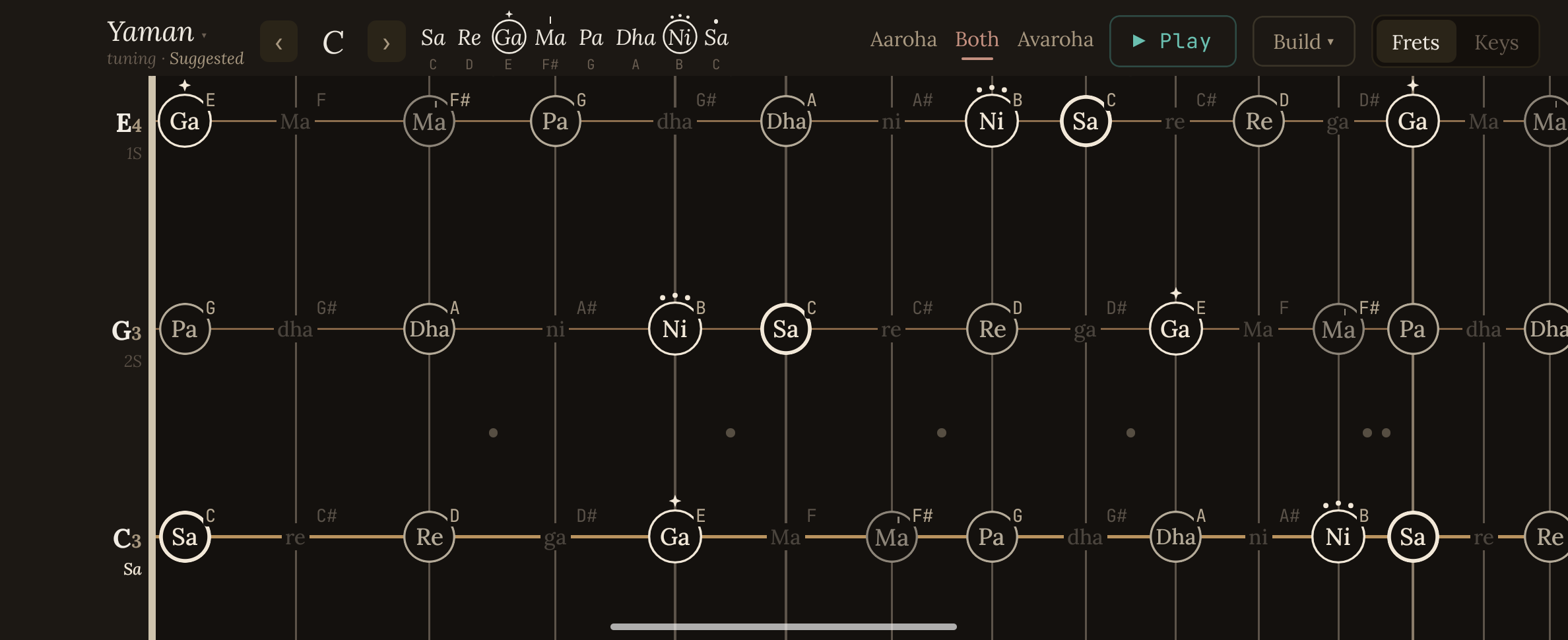
A Mohan veena is a slide guitar adapted for Indian classical music: three main strings that carry the melody, three rhythm strings (chikari) and two drones. Shruti maps each raga across the full neck of the three main strings; the others stay hidden until you switch them on.
Each raga comes with its ascending and descending lines, its two most important notes, and its mood and time of day. Touch any note and it plays at that exact pitch.
- In the Play version
- Yaman, Bhupali, Bhairav, Malkauns
- Runs
- Fully offline, no internet permission
Every feature in Shruti is a gap I hit while practising.
PLAYS ON ITS OWN · HOVER OR TAP TO TAKE OVER
Once you know it, the board stops being a diagram and becomes a map of the raga: home on every string, the notes to lean on, and where to go next.
Key decision: the fewest marks that say the most
A raga isn't just a set of notes. Sa is home, and two notes carry it: the vadi, the king, and the samvadi, its queen. Practice is about finding them fast, on any string, mid-phrase.
On the harmonium that was hard but fundamentally easy: the keys stand out by themselves, so lighting the right ones is enough. On the frets there are no keys, only strings and wires, and it took five rounds to get right. Every round added colour, and every round got harder to read with the instrument on my lap. The version I kept says it with almost nothing.
Tap what you play. It names the raga.
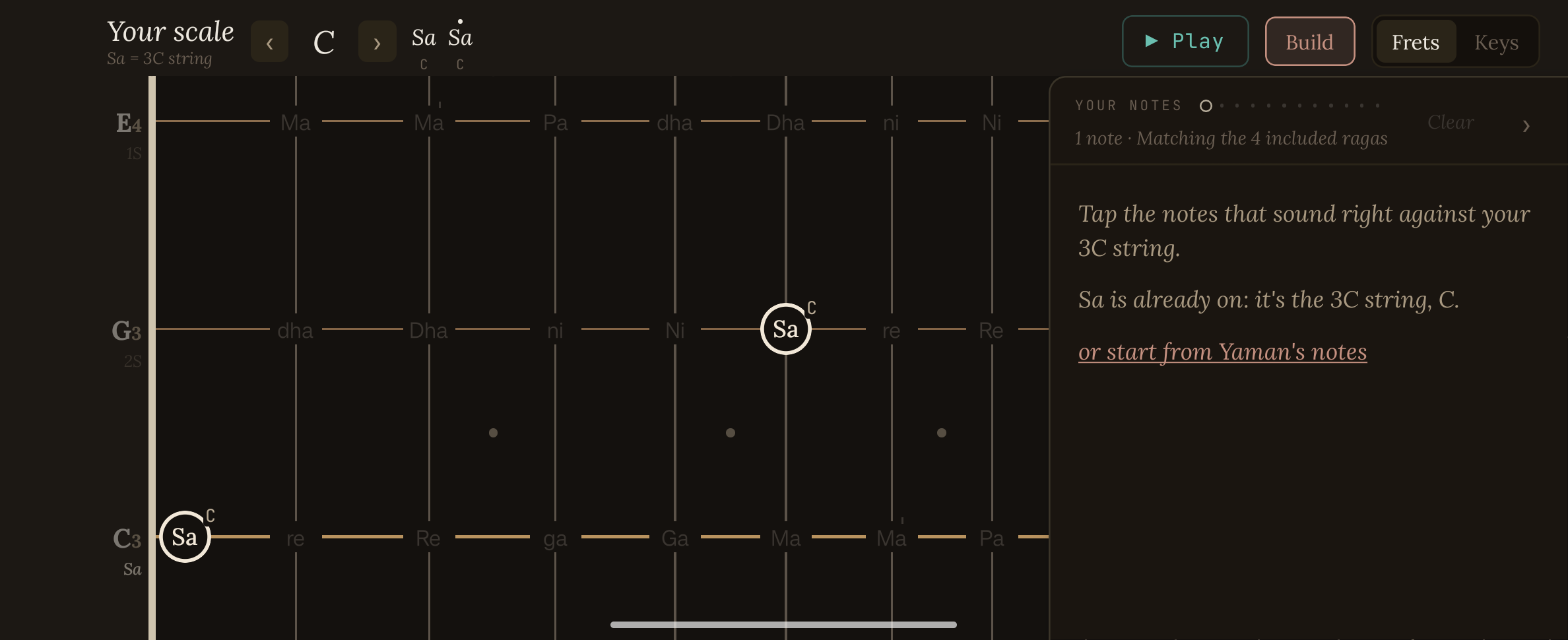
Over a session I'd settle on notes that sat right, without knowing what I'd made. Build mode turns the app around.
Tap the notes that sound right
Build mode goes quiet: every note fades except Sa. Tap the ones you're playing, on the frets or the keys.
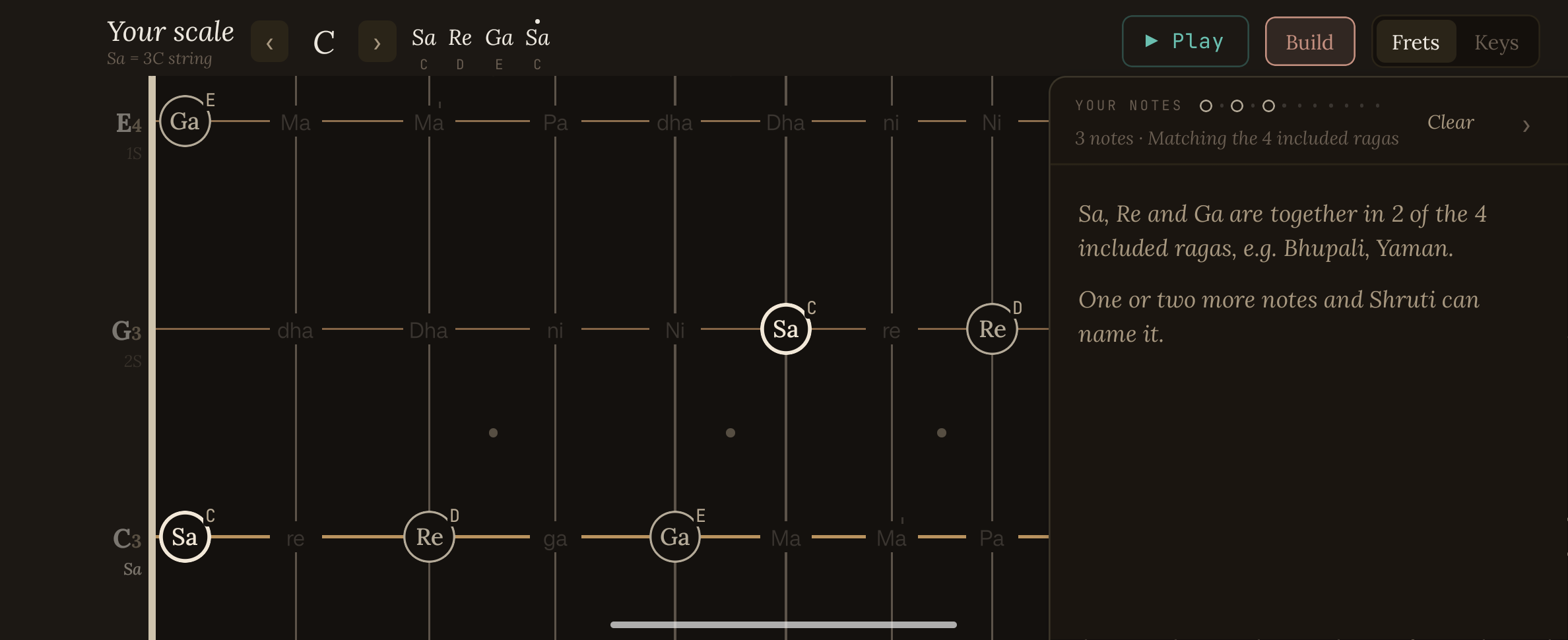
It thinks along with you
Three notes in, it already knows which ragas they belong to, and that one or two more will settle it.
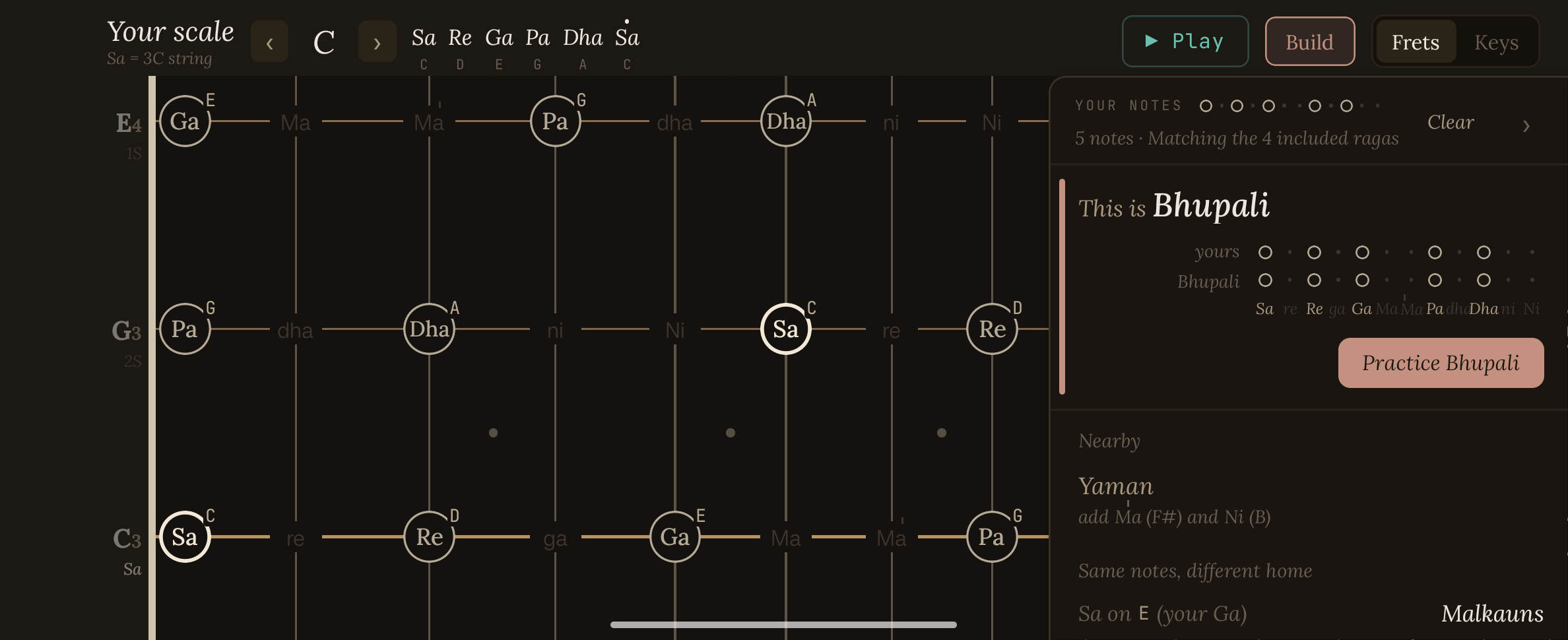
“This is Bhupali”
Five notes, and an answer in plain words, with yours set against the raga's note by note.
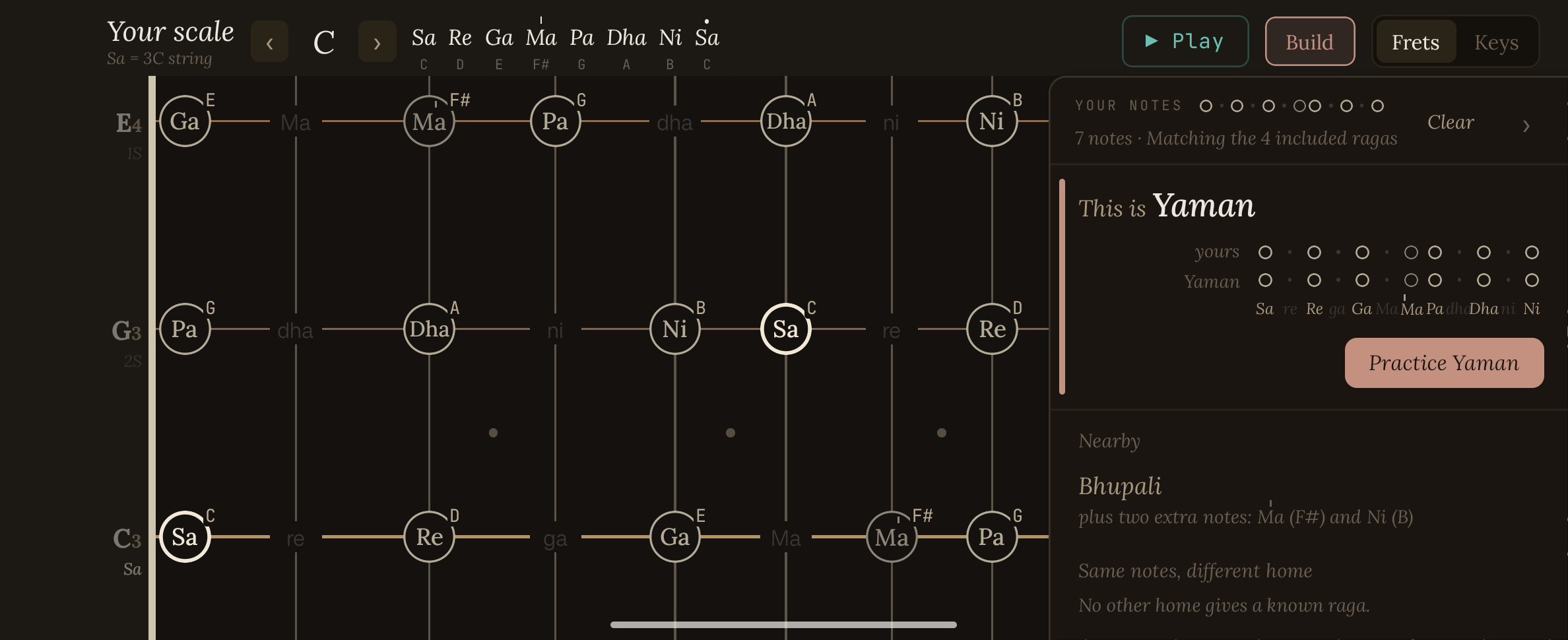
Add two, and it's Yaman
Tap tivra Ma and Ni and the answer changes: an exact match for Yaman.
And what's close
Bhupali stays in view underneath, as Yaman minus those two notes.
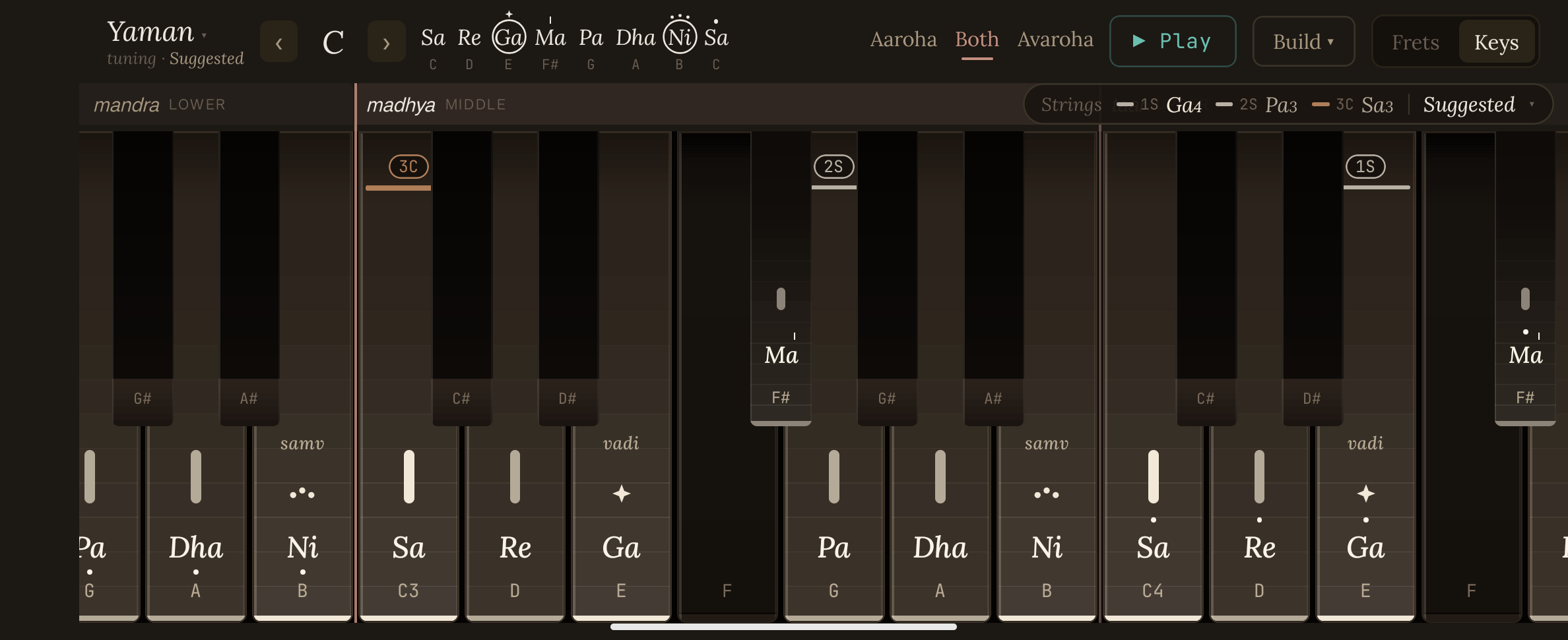
The harmonium
Shruti started as a way to play ragas on the harmonium. The keys were already in front of me; what I wanted was to see a raga on them: which keys belong, which ones matter most, and how its lines walk up and down.
So the first Shruti did exactly that. Pick a raga, watch its notes light up on the keys, and hear its lines walked note by note. It still lives inside the app, one tap away from the frets.
From keys to frets
A harmonium tool for practising ragas.
A Mohan veena, and the same help on the frets.
Twenty phases in five days: the harmonium view, Build modes, Tap to hear, the icon.
A guided tour, then Google Play.
A tour, then the store
Shruti does a lot that isn't obvious on first open, so the release waits for a guided tour. After that, more instruments.